Outlines
We’re excited to announce the latest update to TrackPlanner.app, packed with improvements that make designing your model railroad layouts easier, more accurate, and more visually intuitive. This release introduces track outlines, a feature that enhances the track planning experience.
Visualize Your Track Space
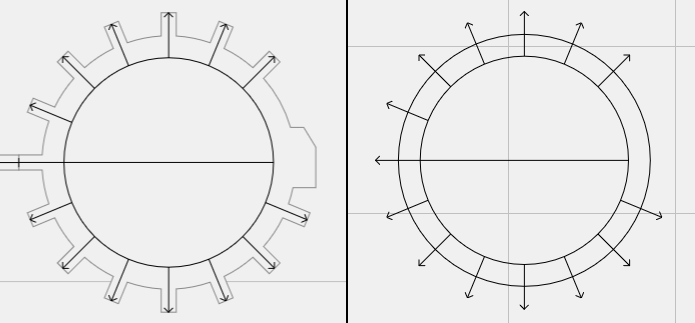
One of the biggest challenges in track planning is understanding exactly how much space your layout will occupy. With the addition of track outlines, you can now see a realistic footprint of your tracks, including:
- Point motors – so you know exactly where switches and mechanisms sit.
- Buffers – allowing for precise end-of-track planning.
- Tracks with partial roadbed – giving a better sense of how tracks interact with scenery or existing layouts.
This visual enhancement helps you plan more efficiently and reduces surprises when you start building.
Easier Track Selection
Selecting and editing track sections has never been easier. The new outlines expand the clickable area of your tracks, making it simple to:
- Click or tap anywhere inside a track to select it.
- Avoid the frustration of trying to hit the tiny four-pixel-wide centerline target that existed previously.
This improvement is particularly noticeable on mobile devices and smaller screens, where precision can be tricky.
Track Accuracy
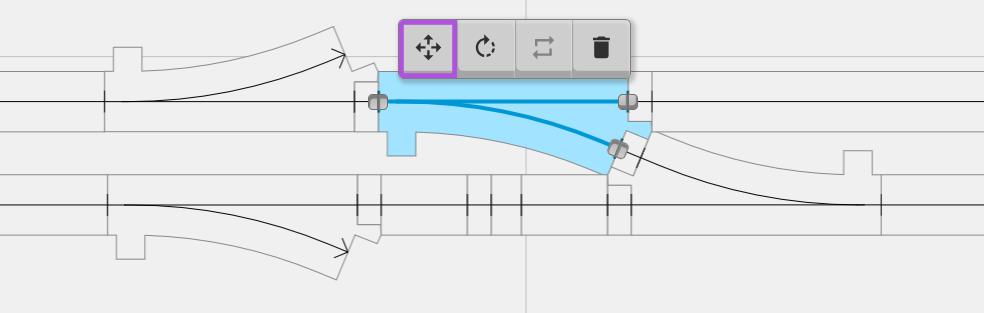
Accuracy matters in model railroading. With track outlines, we were now able check the geometry against reference photos with greater precision.
In this release, we’ve also updated several track definitions to ensure:
-
More realistic shapes for popular track types.
-
Better planning accuracy for complex layouts.
What’s Next
We’re not stopping here! Upcoming releases will bring even more functionality, including:
- Kato Unitrack double-track variations – for those who want to model multi-track mainlines.
- Additional track pieces – expanding your creative options for corners, curves, and complex track work.
Stay tuned, and keep your layouts rolling!